CASE STUDY
Qu Order Management
0→1 design of Qu Order Management, a web app that shows managers every online order, including the ones still days away.
ROLE
Lead Product Designer
TEAM
PM, 5 Developers, 2 QA
PLATFORM
Web app (iPad)
TIMELINE
6 Weeks
OUTCOME
V0 built on existing services, with leadership backing
01
Overview
Restaurants were getting buried by online orders they couldn’t see coming. I led the 0→1 design of Qu Order Management, a web app that gives managers one view of online orders from every channel, including the ones still hours away, so they can plan staffing and prep instead of reacting at the door. I scoped it to run on services Qu already had, so the team could build it fast without new infrastructure.
02
Problem
Online orders went straight to the kitchen display (KDS) or printed as chits, so managers had no view of what was on its way. The sharpest case was the order-ahead: a large order placed days in advance that only surfaced when it reached the kitchen, often in the middle of a rush. Some stores didn’t even have a KDS. Customers kept telling us they had no control and no visibility, and they asked for a way to plan ahead.
The cost wasn’t just a busy kitchen. It was learning about the biggest order of the day when it was too late to plan staff or prep for it.
03
Approach
Visualized first, acted later.
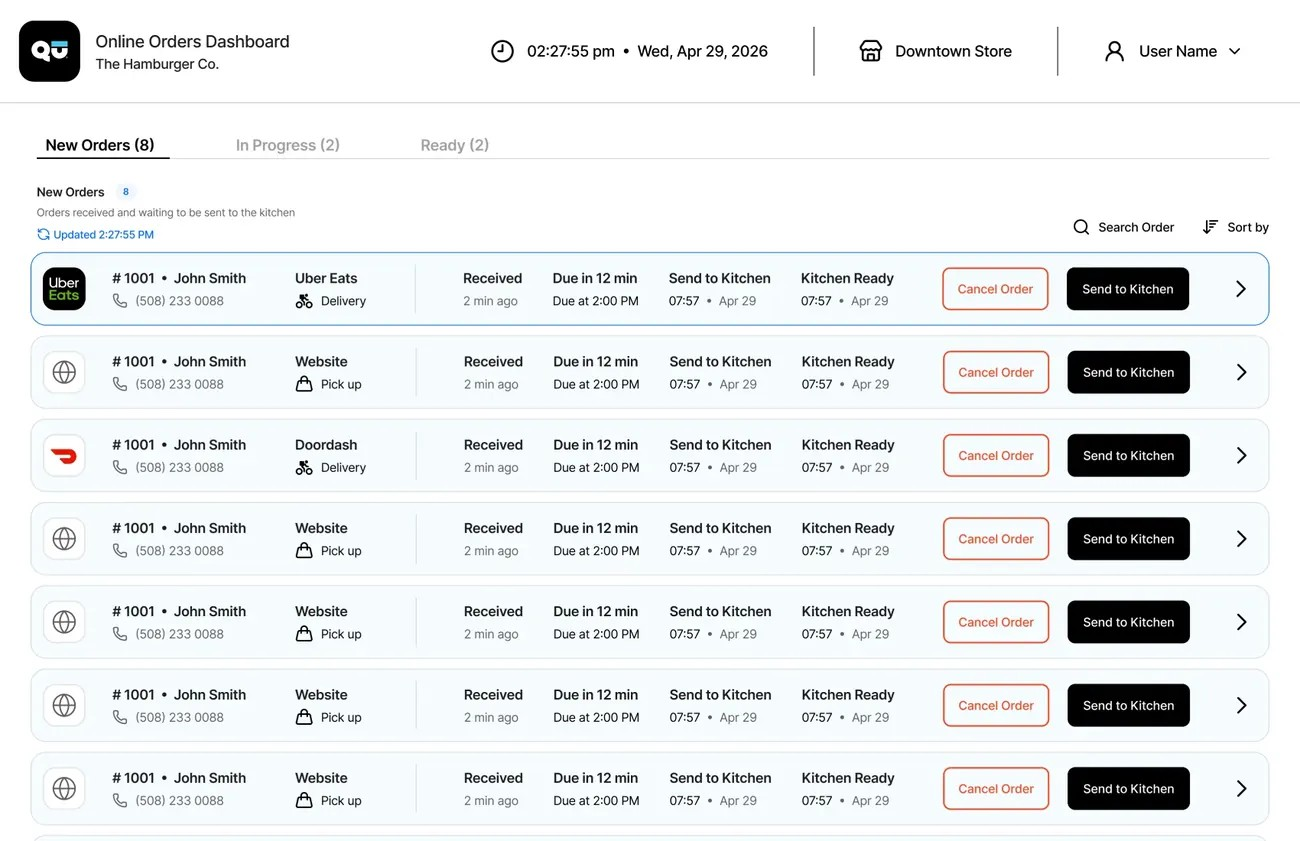
I used MoSCoW to scope V0 to existing services, so managers could see every online order before we built the tools to act on them.
Filters, not customization.
Managers narrow the list with filters only, and the experience stays consistent across customers.
Designed for the hardware stores already have.
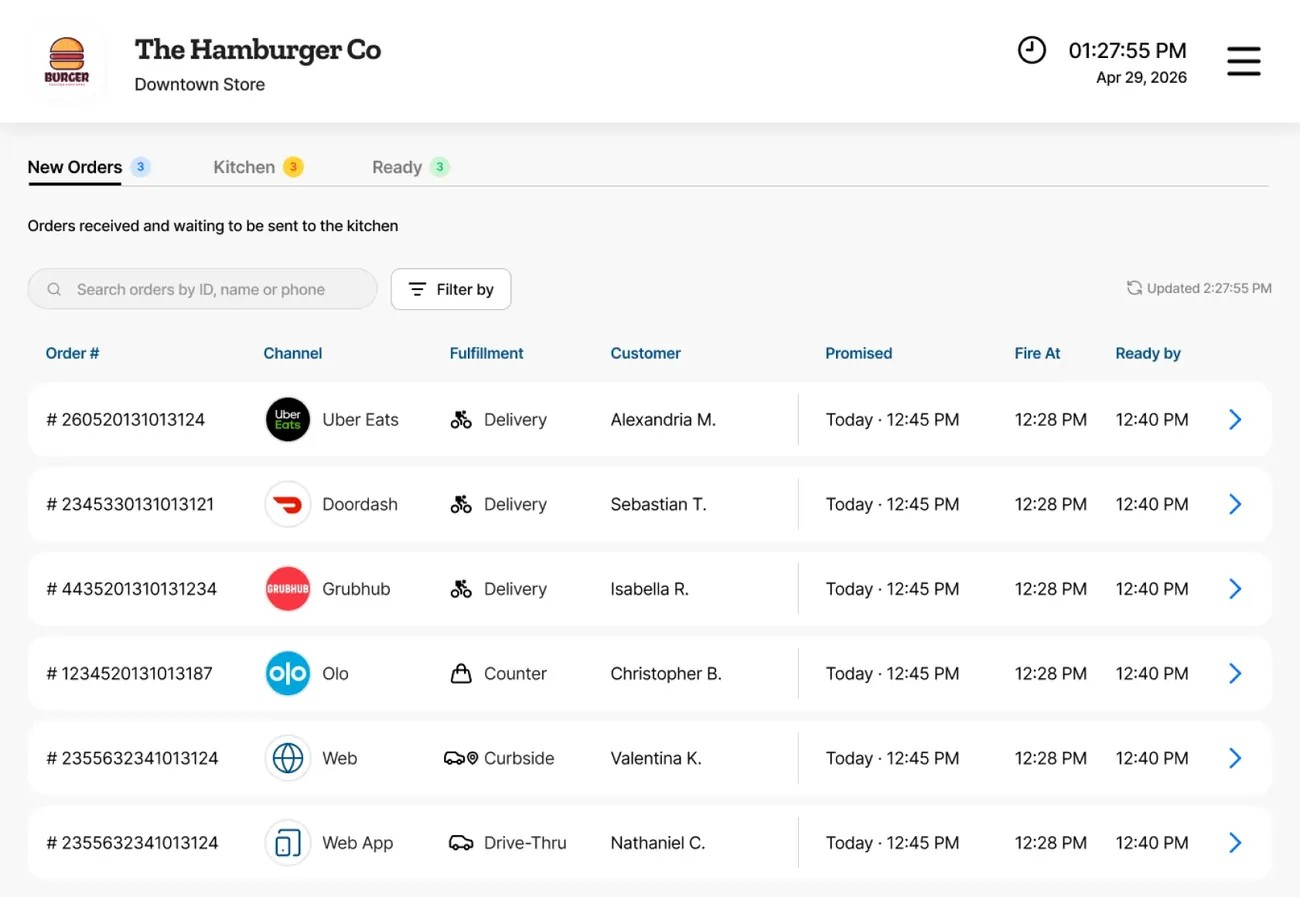
It’s responsive from day one, so it works on the devices stores actually use.
Reused before restarting.
I built on the smart expo research instead of starting from zero.
Borrowed the KDS bump model.
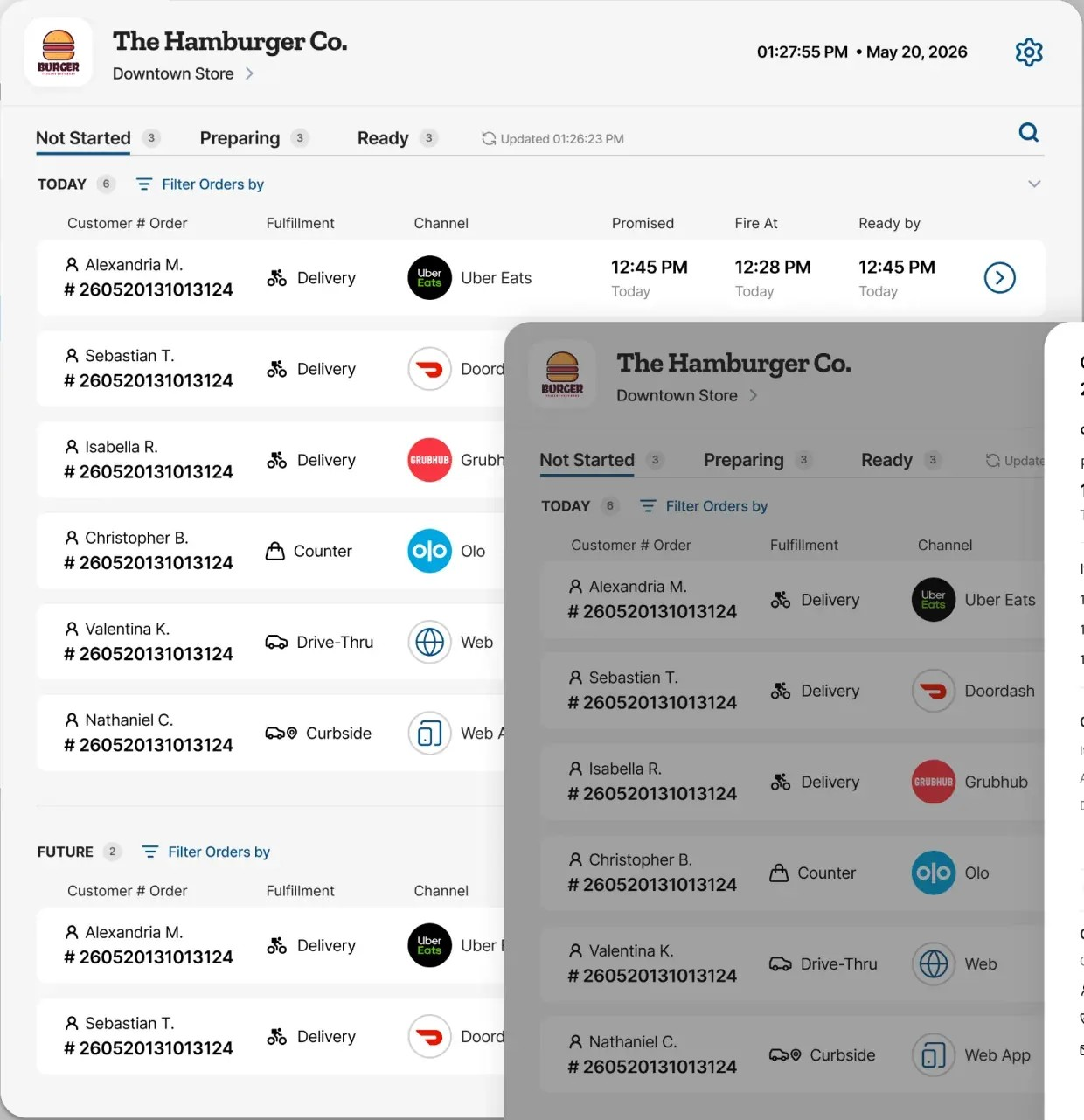
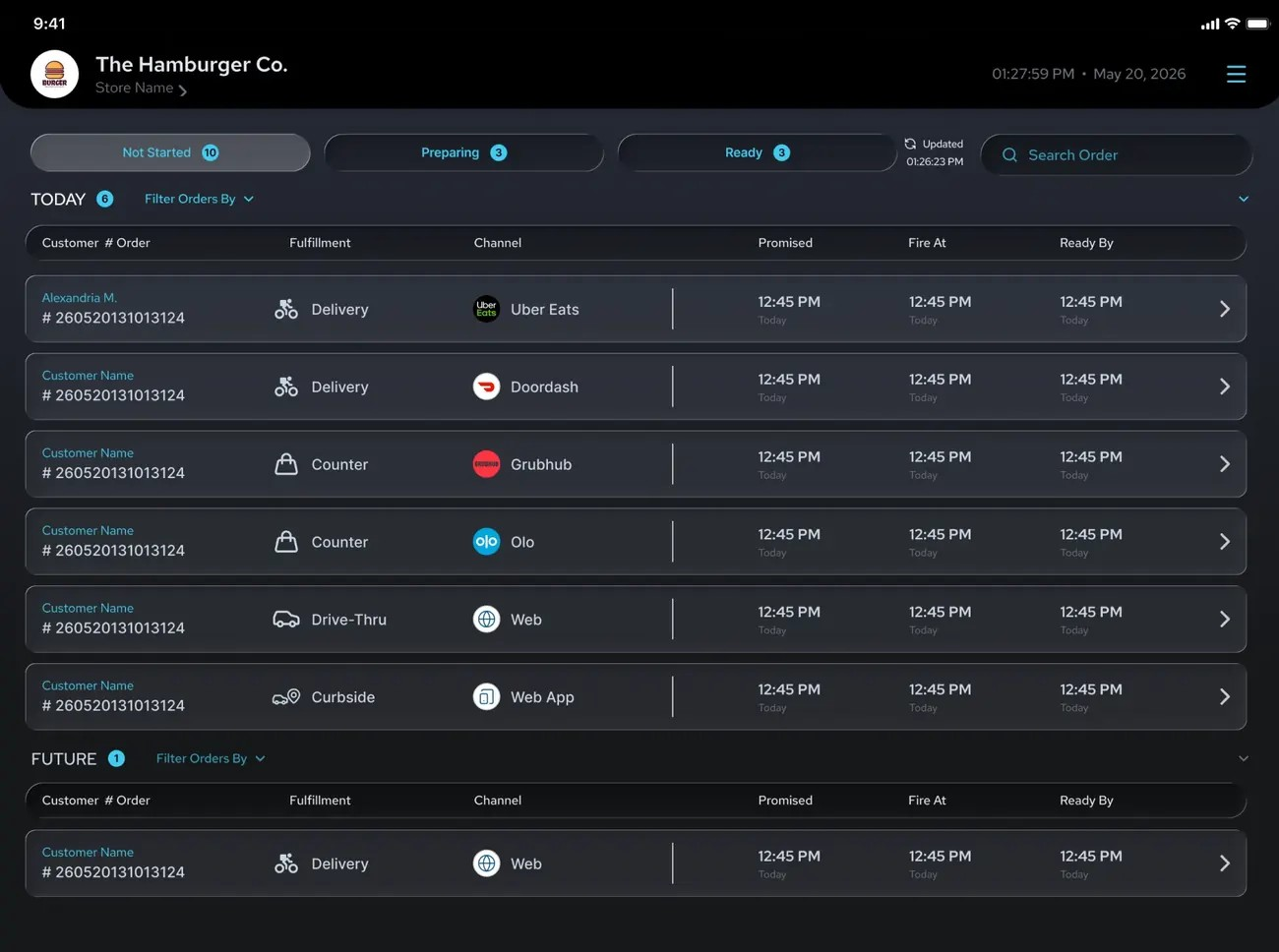
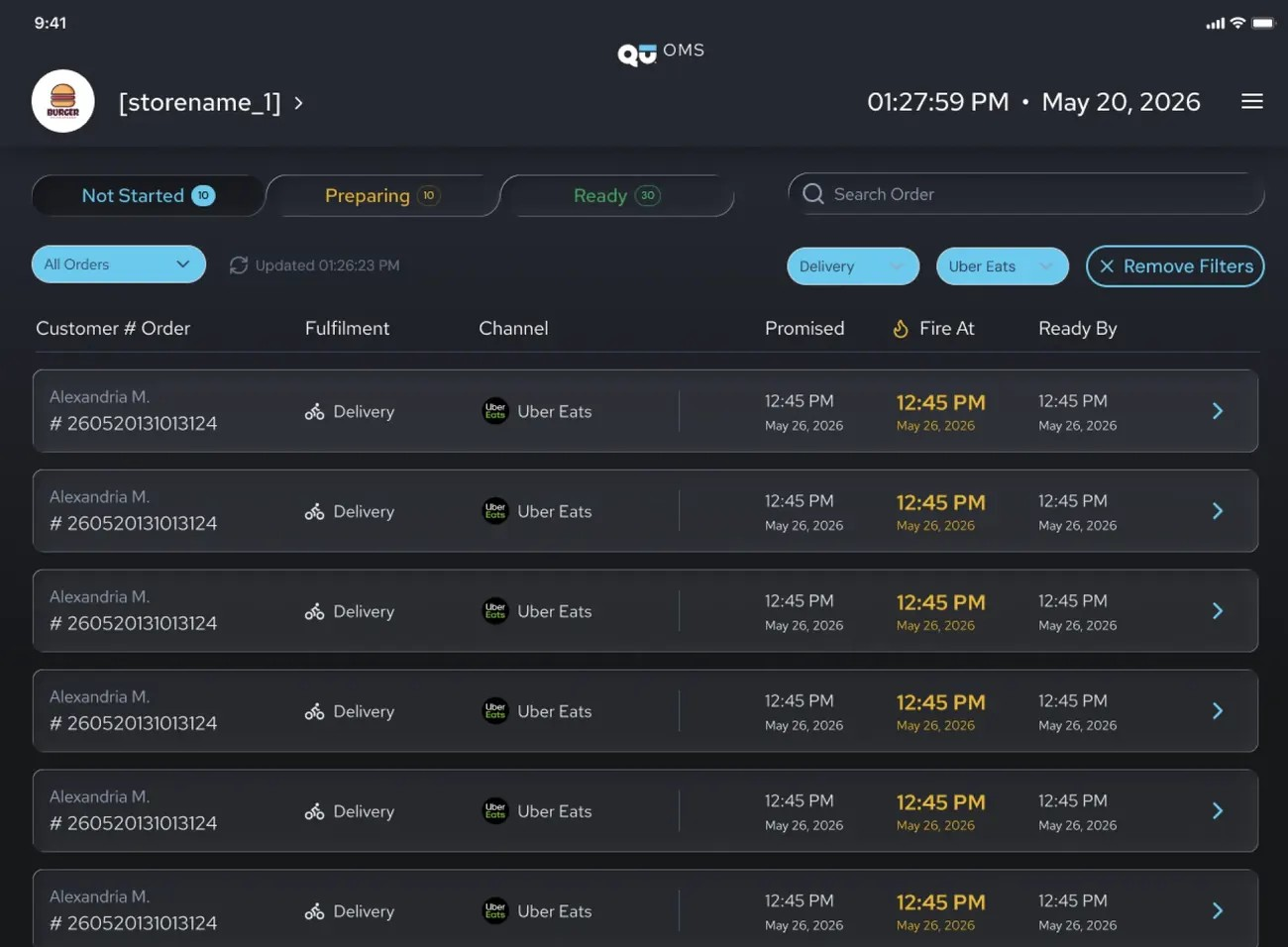
Orders move through the same Not Started, Preparing and Ready states as the KDS, in dark mode.

04
Key decisions
DECISION 1
Ship what can be built, not the whole vision.
The full vision included pausing, cancelling and live driver tracking. Engineers showed in our MoSCoW session that most of it depended on services that didn’t exist yet, like payments and refunds, and building them would have stalled the team.
So we committed V0 to one job: see every online order and act on it with the bump the kitchen already uses. That meant filtering by date (including future orders), opening order details, and moving orders from Not Started to Preparing to Ready. Everything we cut went on the roadmap with a reason the whole team could explain.
How it fits the kitchen: orders appear as Not Started the moment they’re placed, on both the KDS and the app. The kitchen bumps them, or the manager moves them to Preparing from the iPad. After that, the app is for awareness: managers see what’s cooking without getting in the kitchen’s way.
DECISION 2
Solving the order-ahead.
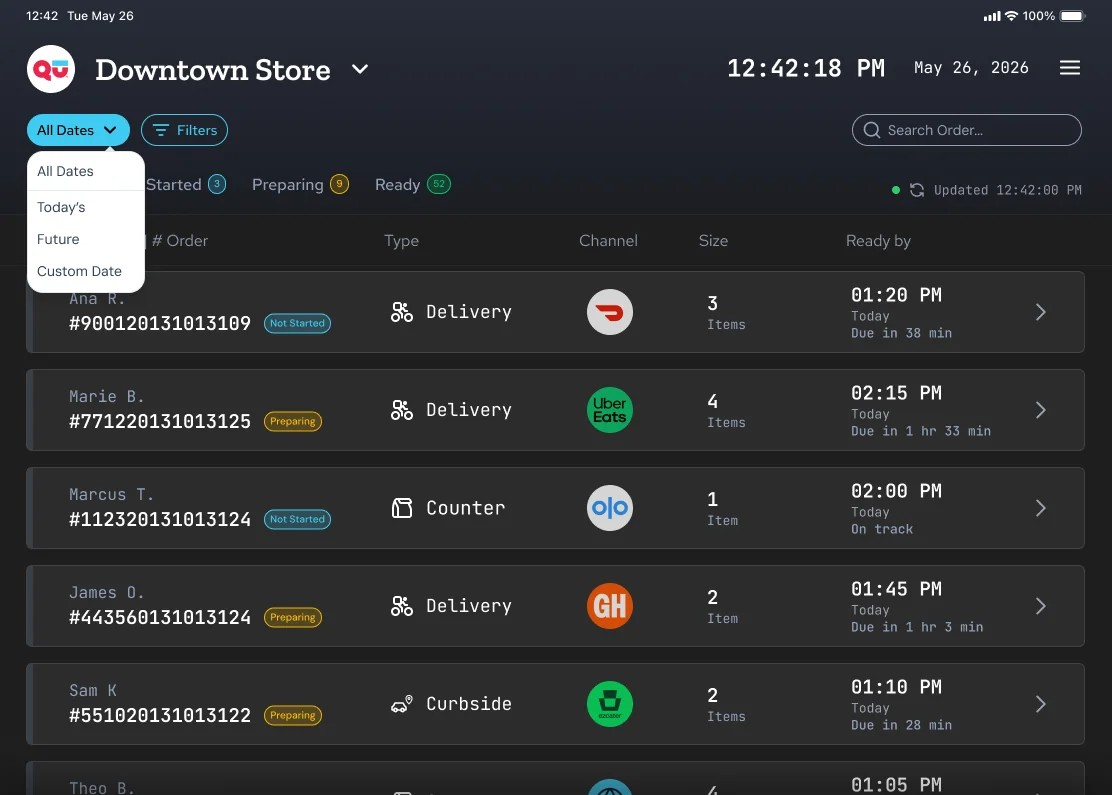
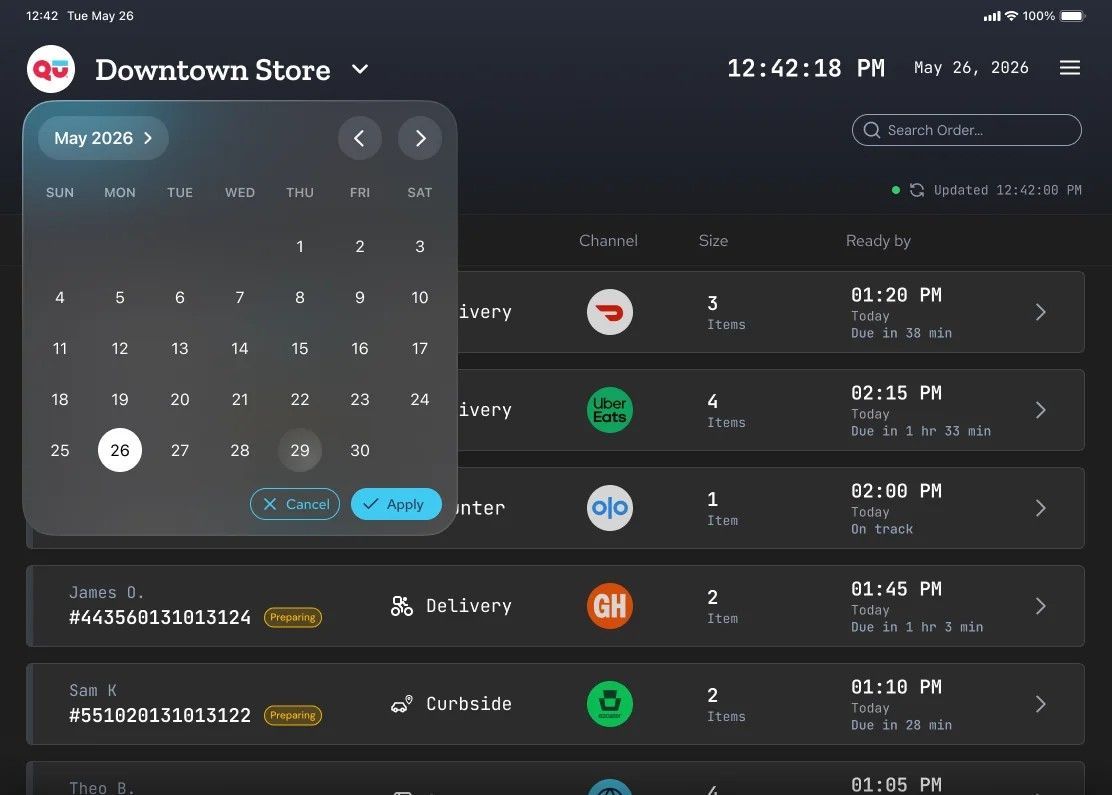
Managers can pick any future date and see every order already scheduled for it, with its ready-by time front and center. The large order that used to hit in the middle of a rush now shows up days before, while there's still time to plan staff and prep.
DECISION 3
Design for the hardware stores actually have.
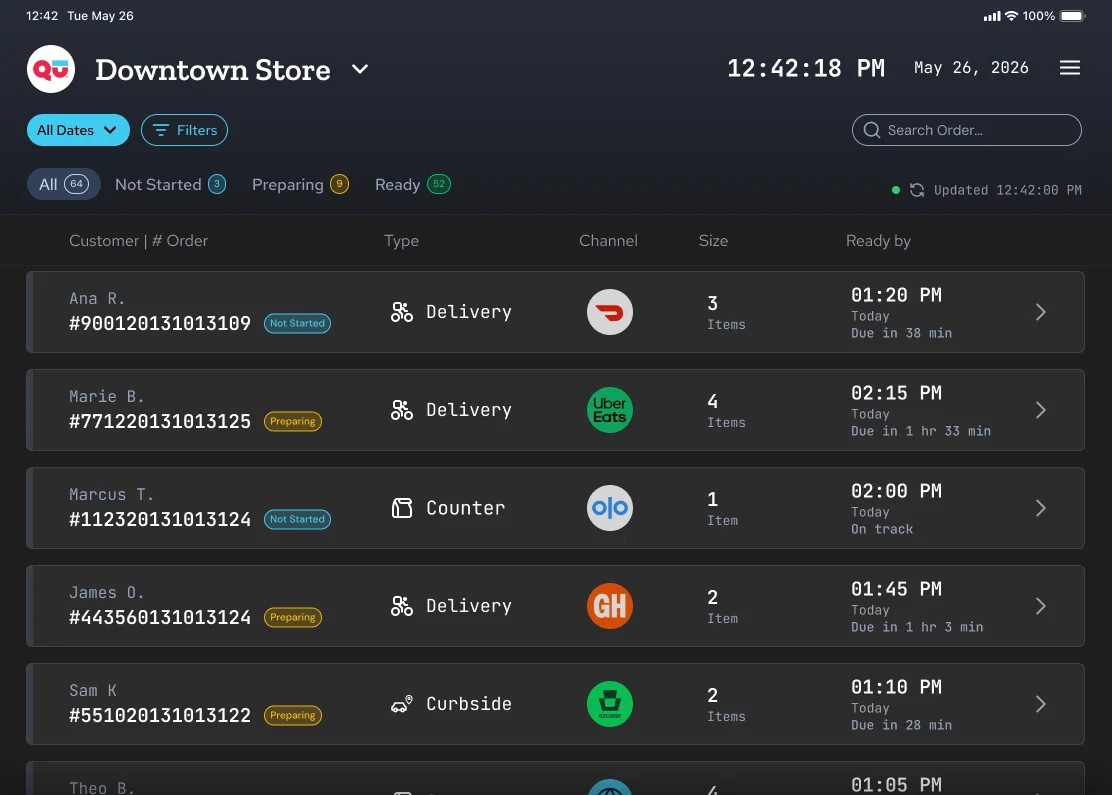
Some stores had only POS devices, and some had no KDS. Betting on one device would have left stores out, so I designed responsive from day one. It's a web view in an iPad frame that also works on desktop and inside the POS. The VP of Product backed this approach because it let the project move forward without waiting on the perfect device.
It's built on the Global Design System I co-created at Qu, and it was planned for Notify, the mobile app I redesigned, so managers would get one experience across every device.
05
Outcome
Approved the direction
Leadership saw the demo and approved the direction. The VP of Product backed the web-first approach.
Handed to engineering
V0 was designed, handed off and built on existing services, and was in sprint. It gives managers every online order in one list, with date, order type and channel filters, order details and a bump through Not Started, Preparing and Ready.
Planned next
Pause and cancel come once payment and refund services exist. Customization gets revisited with evidence, testing each request against the shared layout.
Not measured yet
There's no usage data yet. The plan was to measure how fast stores acknowledge online orders, and how many large future-dated orders still arrive unplanned.
Takeaway
Design for the hardware stores actually have, not the hardware you wish they had. The same goes for scope. Ship what the team can build now, and make every cut explainable.
06
Leadership
OWNERSHIP
Set the product direction.
Led design for Qu Order Management from zero to one, working with the PM and engineering team. Across Qu's Management lane, I led 4 products.
FOUNDATION
Built shared foundations.
Co-created Qu's first global design system, adopted by Enterprise Intelligence, Notify and Qu Order Management.
ALIGNMENT
Earned buy-in for V0.
Aligned the PM, engineering and the VP of Product on a V0 scoped to existing services.
NEXT CASE STUDY
© 2026 Joao Medeiros