CASE STUDY
Upserve Inventory App
Turning a phone camera into an inventory scanner for restaurant
back-of-house.
ROLE
UX Designer
TEAM
PM, Engineering
PLATFORM
Mobile App (iOS & Android)
TIMELINE
4 Weeks
OUTCOME
Shipped across receiving, counts, suppliers and catalog
01
Overview
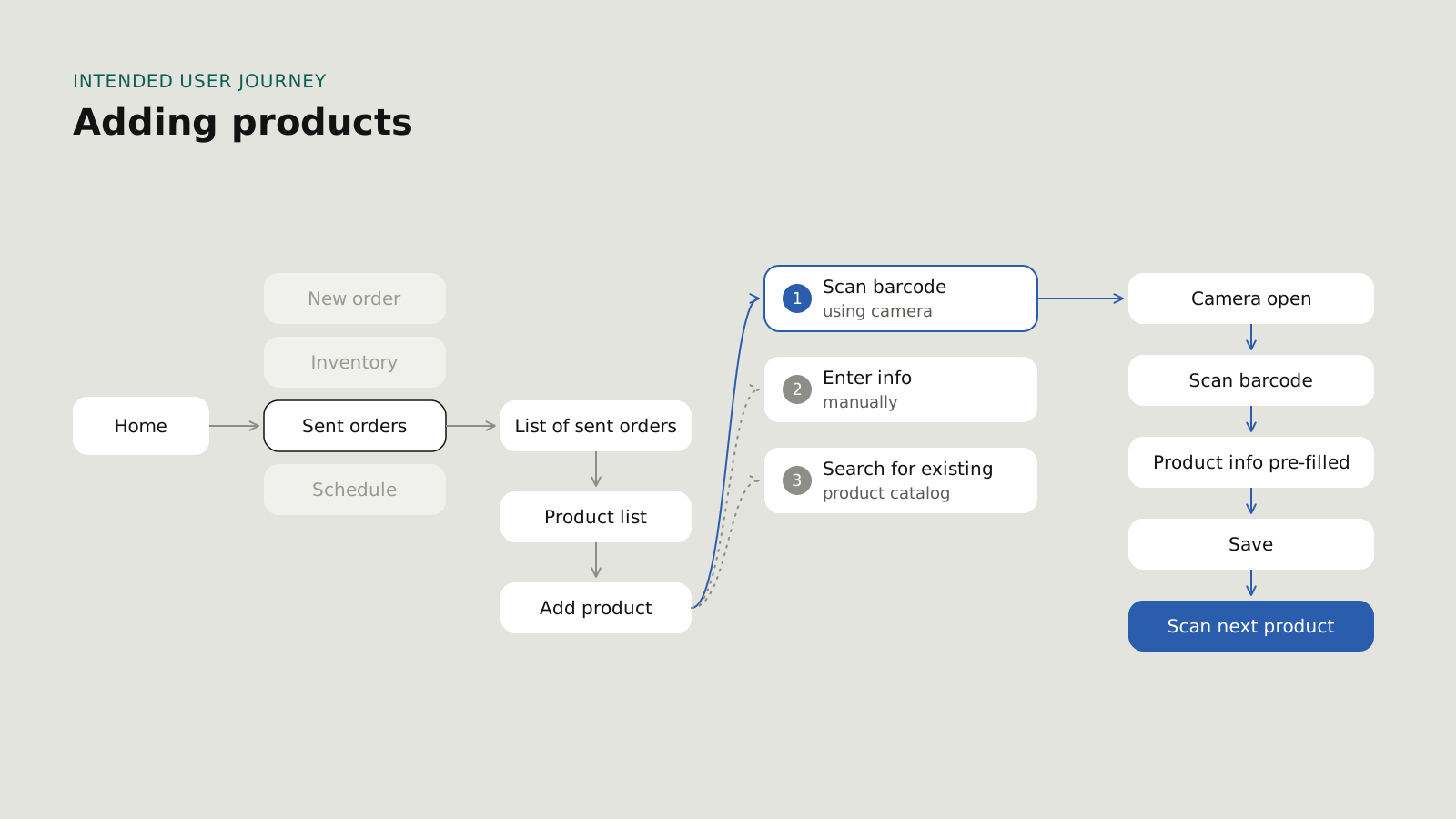
Restaurant staff typed every delivered item into the Upserve Inventory app by hand, which was slow and full of errors. I proposed and designed barcode scanning with the phone's own camera, built to work with damaged labels and spotty Wi-Fi. It shipped as the core input across the Inventory app.
02
Problem
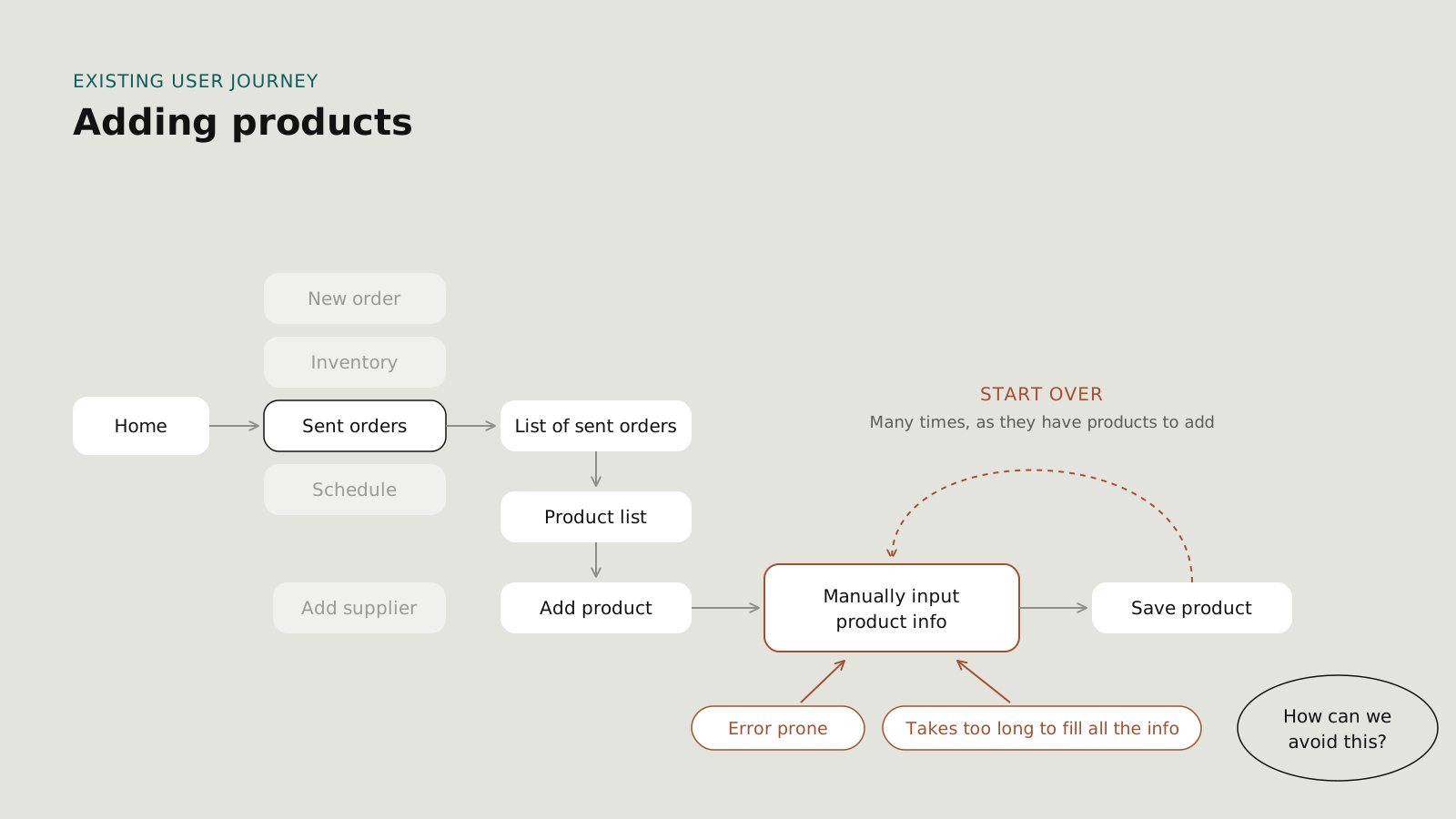
When a delivery arrived, someone had to key in each product and quantity before the kitchen got busy. That manual entry created bottlenecks at the back door, typos in inventory records, and mismatches that rippled into ordering and stock levels.
The people doing it weren't inventory specialists.
They were cooks and managers with ten other things to do.
03
Approach
Started with the people receiving deliveries.
With the product owner, I wrote an interview plan and ran surveys and interviews with restaurant staff about their receiving workflow.
Looked at the market.
I reviewed existing inventory tools to see where they still relied on typing.
Explored with engineering early.
I facilitated brainstorms with the PM and developers, sketched flows on paper, and moved to low-fidelity wireframes in Miro.
Tested with real staff.
We put the scanning prototype in front of restaurant staff to check flow, scan speed and accuracy, and whether the visual feedback matched what they expected.
04
Key decisions
DECISION 1
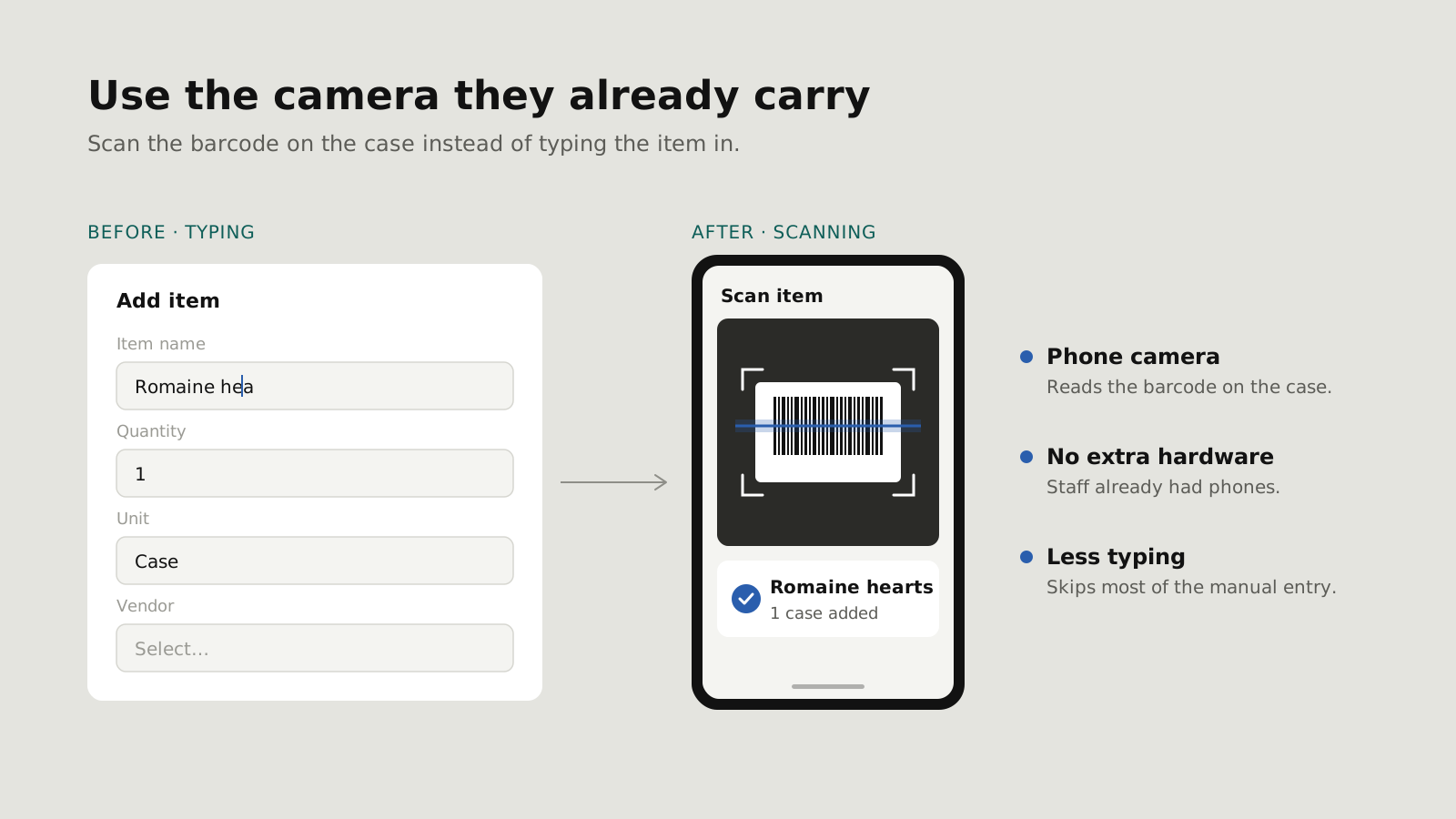
Use the camera they already carry.
The team's first ideas improved typing: auto-filled fields, error prompts, a guided flow. I proposed skipping most of the typing instead, by scanning barcodes with the phone camera. Staff already had phones, so there was no hardware to buy or train on.
DECISION 2
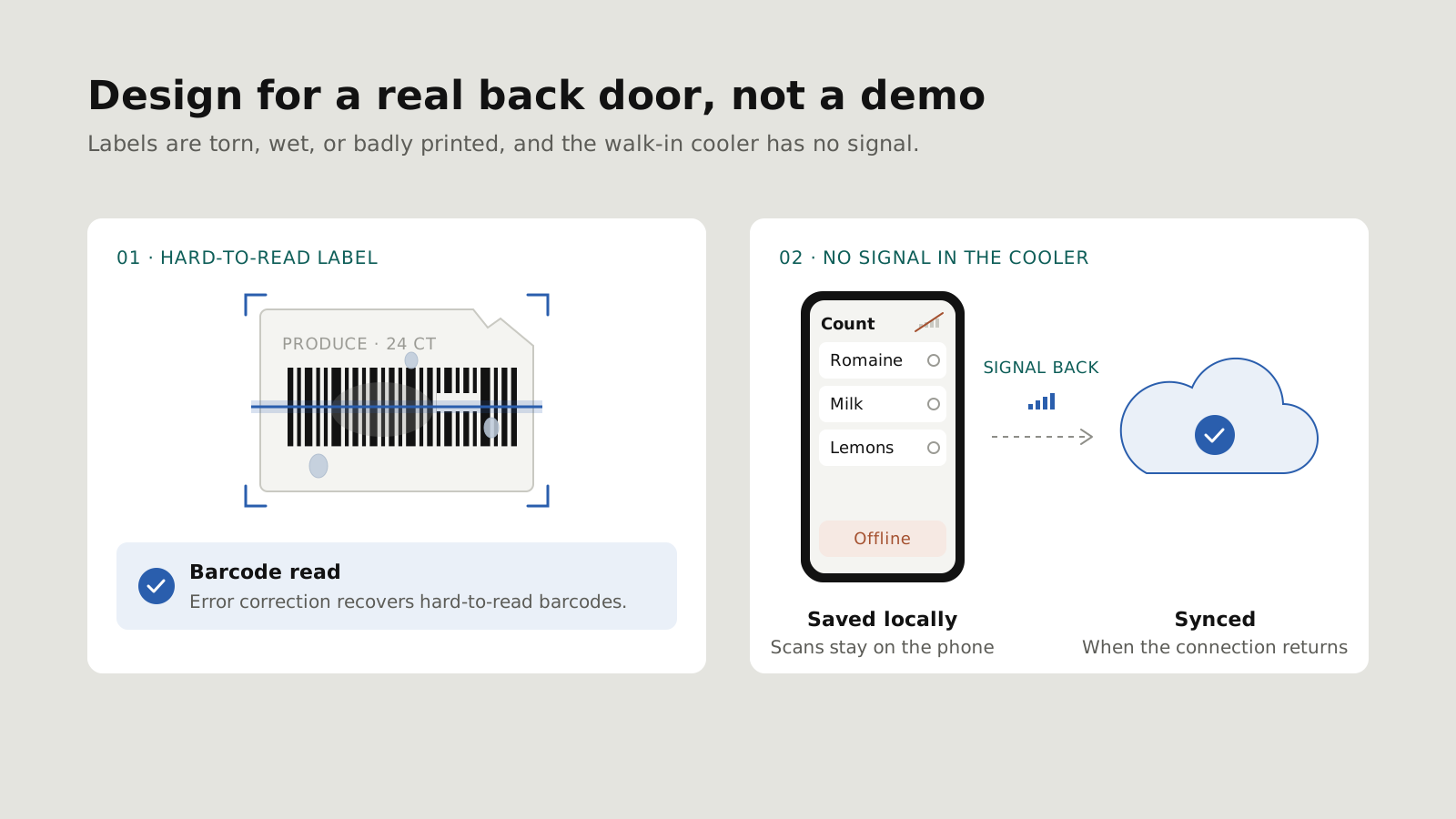
Design for a real back door, not a demo.
Labels are torn, wet, or badly printed, and the walk-in cooler has no signal. With engineering, we added error correction for hard-to-read barcodes, and offline scanning that saves locally and syncs when the connection returns.
DECISION 3
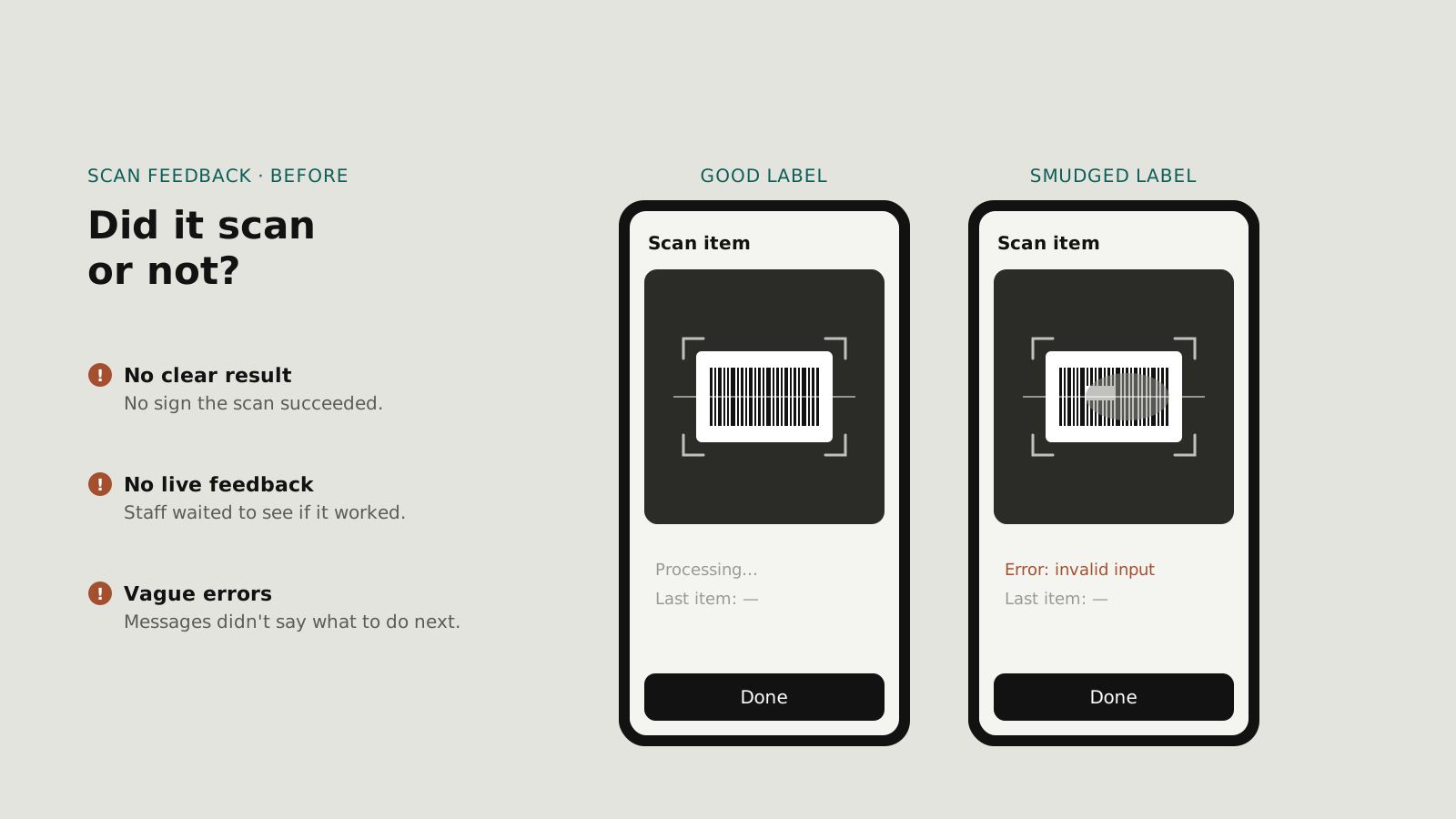
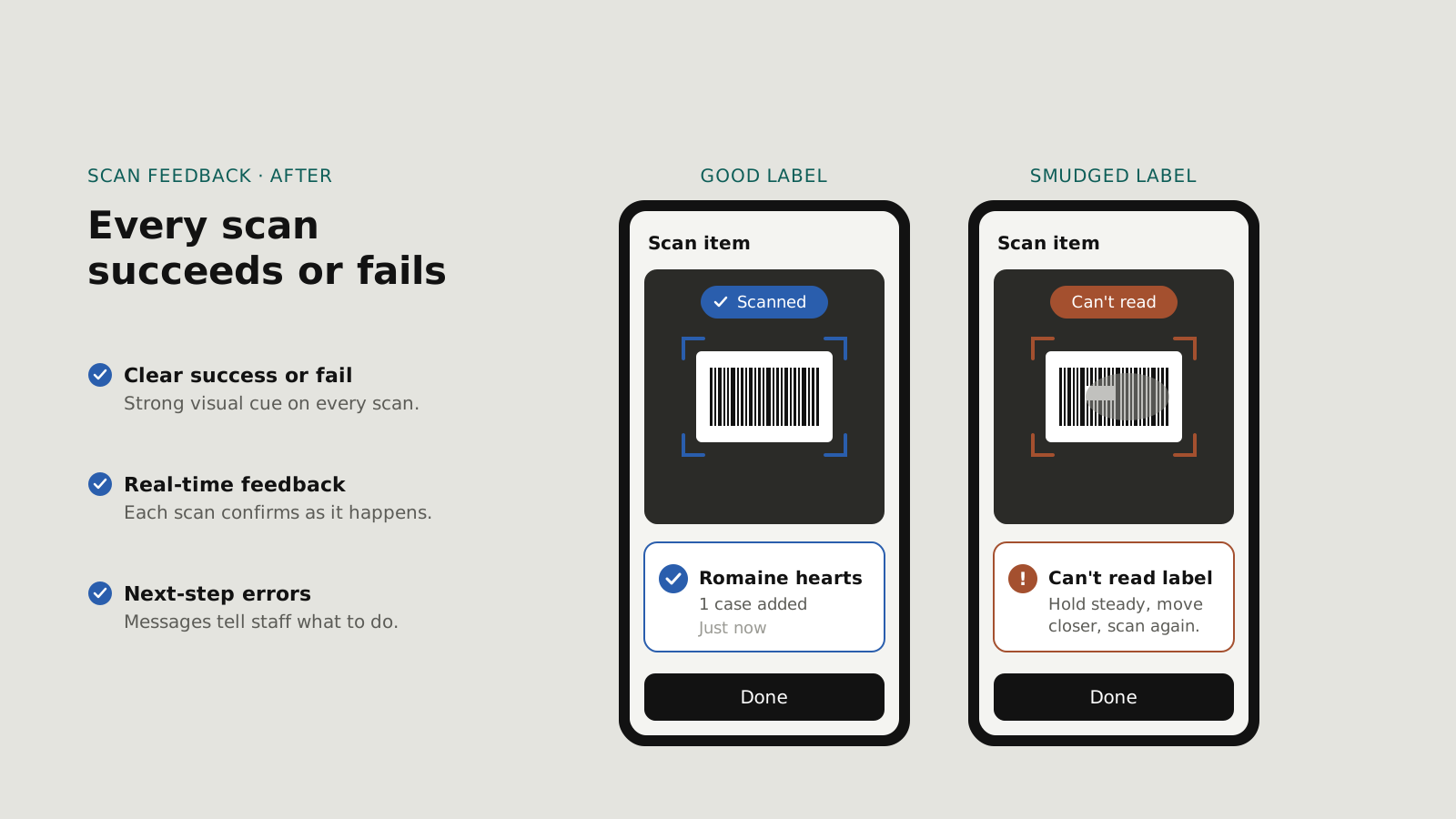
Make every scan obviously succeed or fail.
In a busy back door, a scan that may or may not have worked is worse than typing. Based on test feedback, I added stronger visual cues and real-time feedback on each scan, and rewrote error messages so staff knew what to do next.
catalog
quantities
arrived
invoice
05
Outcome
Shipped
Scanning is live in the Upserve Inventory app.
One input
A single scan powers suppliers, catalog, receiving and counts.
Less typing
Fewer errors at receiving.
06
Leadership
RESEARCH
Led the research.
Co-wrote the research plan with the product owner and led the interviews.
DIRECTION
Championed camera scanning.
Proposed the camera-scanning direction and made the case for it to product and engineering.
CONSTRAINTS
Solved constraints early.
Worked through accuracy, integration, scale and offline limits with developers and IT from the start, instead of designing around them after the fact.
NEXT CASE STUDY
© 2026 Joao Medeiros